

Basic host telemetry
Host telemetry shows CPU and memory usage for Docker hosts and Kubernetes nodes, with a cluster summary for Kubernetes. Open a host to inspect its recent history and reported workloads, or select it to show readings on your homepage.
Telemetry is optional and separate from service discovery. Discovering services does not enable CPU or memory collection. These are host measurements, not per-container or per-pod CPU and memory readings.
Read a host
- Open Hosts in your Balemoh instance and choose a machine or cluster.
- In Overview, check the latest CPU and memory readings and the observation and receipt timestamps. CPU is a share of total CPU capacity; memory includes used and total bytes as well as a percentage.
- Choose Last hour or Last 24 hours to inspect one-minute history. Hover or tap a chart to read a sample. Missing minutes remain gaps.
- Open Workloads for reported containers or pods and their runtime state. Kubernetes pods also include namespace and restart count. Clusters have a Nodes tab; root host pages have Services for related catalog entries.
- Select Show on home to keep that host's readings on your homepage.
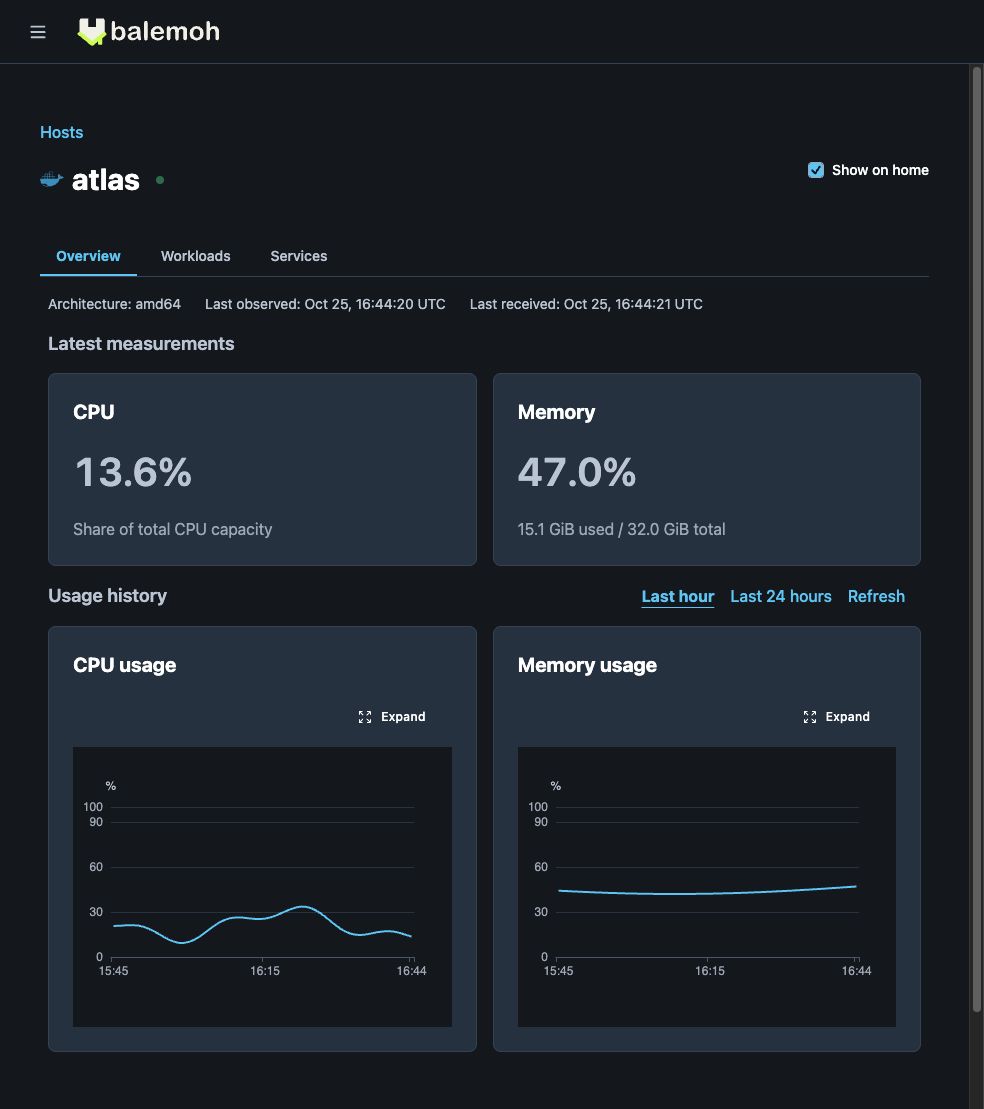
This screenshot uses generated measurements in a local instance.
The page updates automatically while it is open. Refresh requests the latest stored report; it does not force an agent to collect a new measurement. Agents collect once per minute, and retained history covers the last 24 hours.
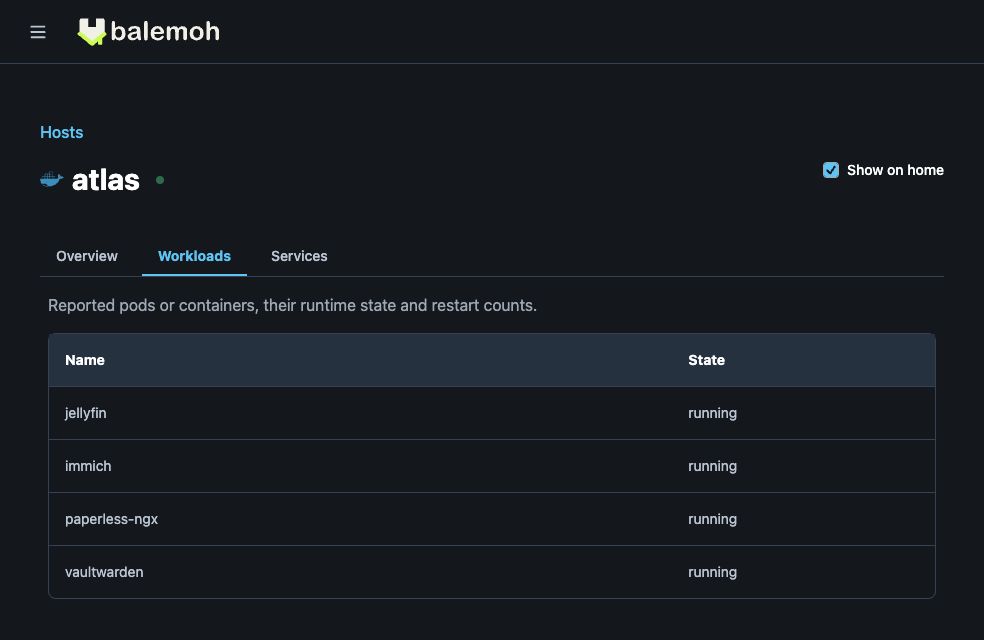
The workload names and states above are synthetic examples.
Enable collection
On each collecting API or agent process, enable an existing Docker or Kubernetes source and set:
BALEMOH_TELEMETRY_ENABLED=true
Restart that process after changing its configuration. For federated agents, keep the existing source identity, gateway URL, and source credential. Telemetry uses the same registered credential as discovery. Update the gateway API and UI before enabling newer agents.
The API environment reference lists configuration names and defaults. Federated agents covers connecting remote machines to a gateway.
Docker hosts
Run the collector on the Linux machine it observes, using that machine's local Unix Docker socket. When the agent runs in a container, add these mounts and environment settings to its existing configuration:
volumes:
  - /var/run/docker.sock:/var/run/docker.sock:ro
  - /proc:/host/proc:ro
environment:
  BALEMOH_TELEMETRY_ENABLED: 'true'
  BALEMOH_HOST_PROC_PATH: '/host/proc'
The proc mount and socket must belong to the same host. A remote Docker endpoint cannot provide host CPU and memory through this collector. No privileged mode or host PID namespace is needed. The Docker socket still grants substantial host access; mounting it read-only does not make the Docker API read-only.
CPU needs two readings, so it can be unavailable during the first collection. Memory uses total memory minus available memory. Docker Desktop readings describe its Linux VM when that VM's proc filesystem is mounted, not the macOS host.
Kubernetes clusters
The agent uses the Node Metrics API for CPU and memory. Metrics Server must be available, and the agent's existing ClusterRole needs these read-only rules:
- apiGroups: ['']
  resources: ['nodes', 'pods']
  verbs: ['list']
- apiGroups: ['metrics.k8s.io']
  resources: ['nodes']
  verbs: ['list']
Without node metrics access, inventory and heartbeat can still arrive. A cluster summary is unavailable until every listed node has the relevant measurement. Pod inventory follows the configured namespace scope. Node readings and cluster totals include the whole node, including other namespaces.
Understand reporting status
| Status | Meaning |
|---|---|
| Reporting | Observation and receipt are no more than three minutes old, with CPU and memory available |
| Partial data | A recent report arrived, but at least one CPU or memory measurement is unavailable |
| Stale | The last observation or receipt is more than three minutes old |
| No telemetry | No observation has arrived for that host |
Stale does not prove that a machine is offline. Check the agent and its path to the gateway. Partial data can mean collection is starting, the proc mount is missing, or Kubernetes metrics access is unavailable. Missing values never become zero usage.
An unavailable workload inventory is different from an empty inventory. Truncated lists are marked incomplete. Docker restart counts and per-workload CPU and memory are not collected. Kubernetes node readiness is shown separately from telemetry reporting status.